Get ProofHour for your Mac.
A small app that lives in your menu bar. Download it, drag it to Applications, sign in from your browser, and you are a minute away from your first proof hour.
Needs an Apple silicon Mac (M1 or later). Version 0.2.3. Updates arrive inside the app.
Six steps, about a minute.
- Step 1
Download and open the installer
Press Download for Mac above. When the download finishes, open
ProofHour-App-aarch64.dmgfrom your Downloads folder. A window with two icons appears.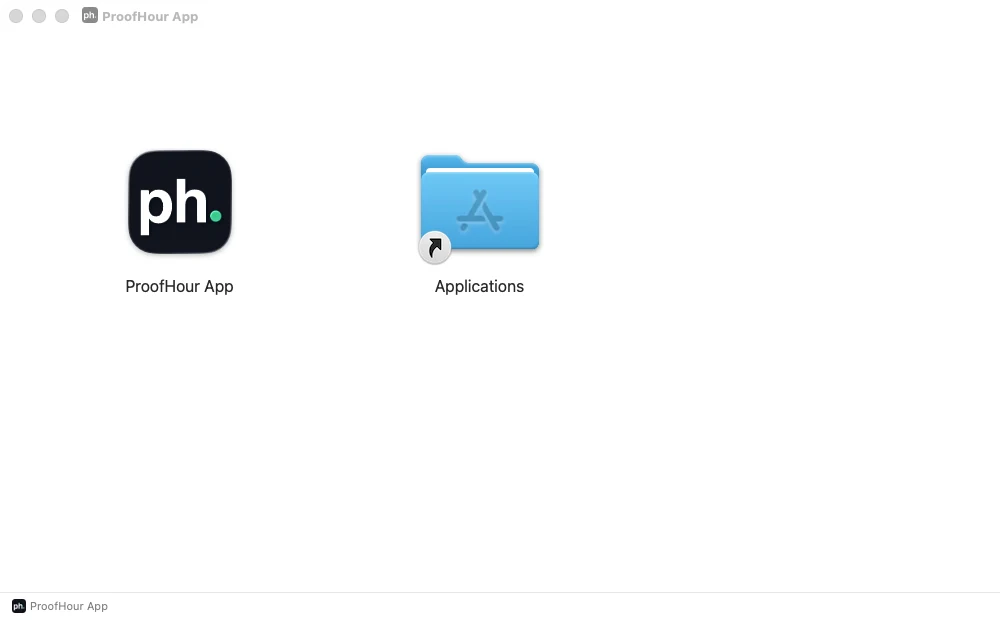
- Step 2
Drag ProofHour App onto Applications
Drag the app icon onto the Applications folder beside it. That is the whole install. Afterwards you can eject the installer: it sits on your desktop as a disk named ProofHour App, so drag it to the Bin, or press the eject symbol next to it in Finder's sidebar.
- Step 3
Open it. It lives in the menu bar
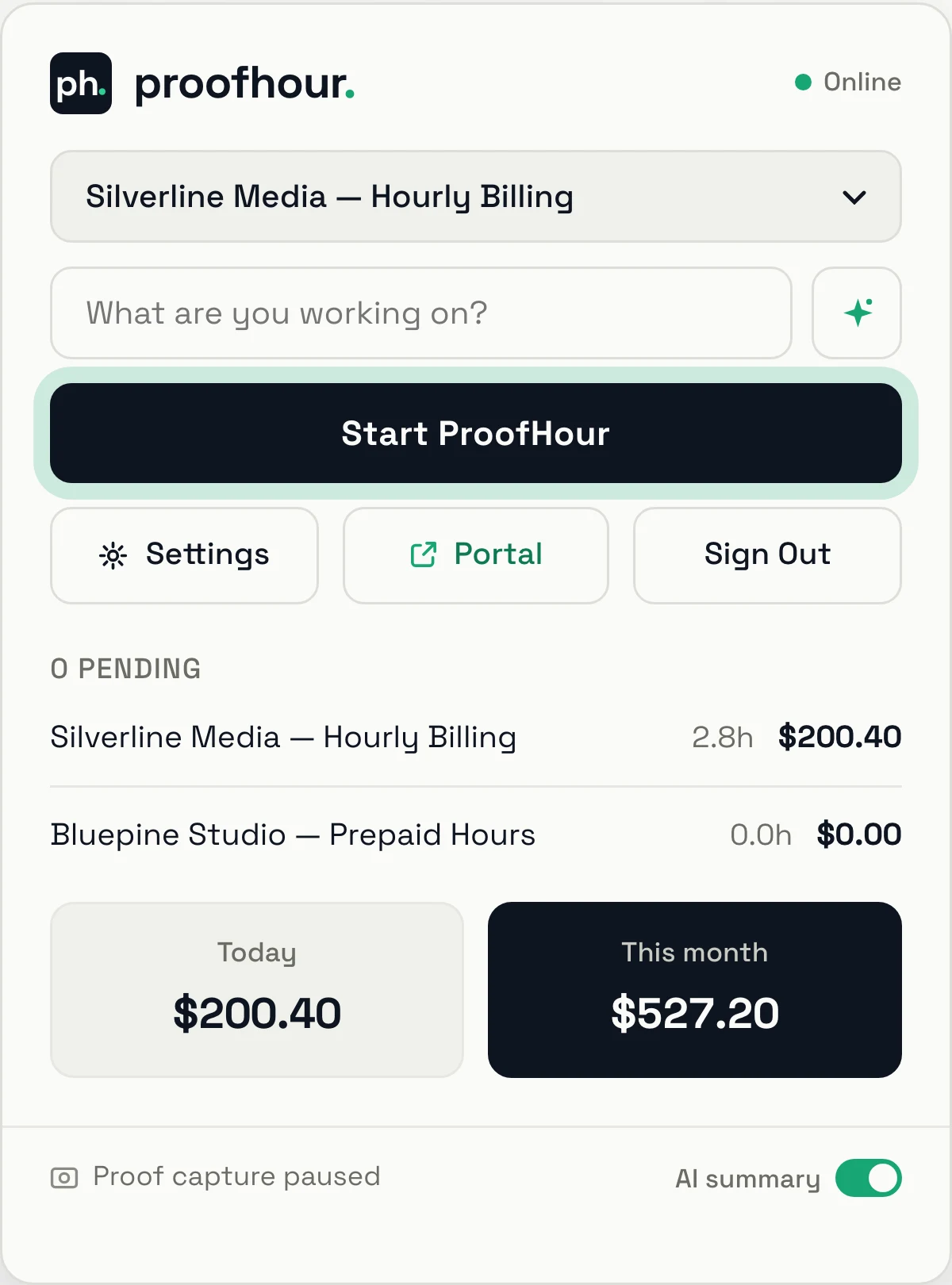
Open ProofHour App from Applications. Nothing appears in the Dock and no window opens: the app sits in the menu bar at the top right of your screen, as a small ph. tile. Click the tile to open it.

- Step 4
Sign in from your browser
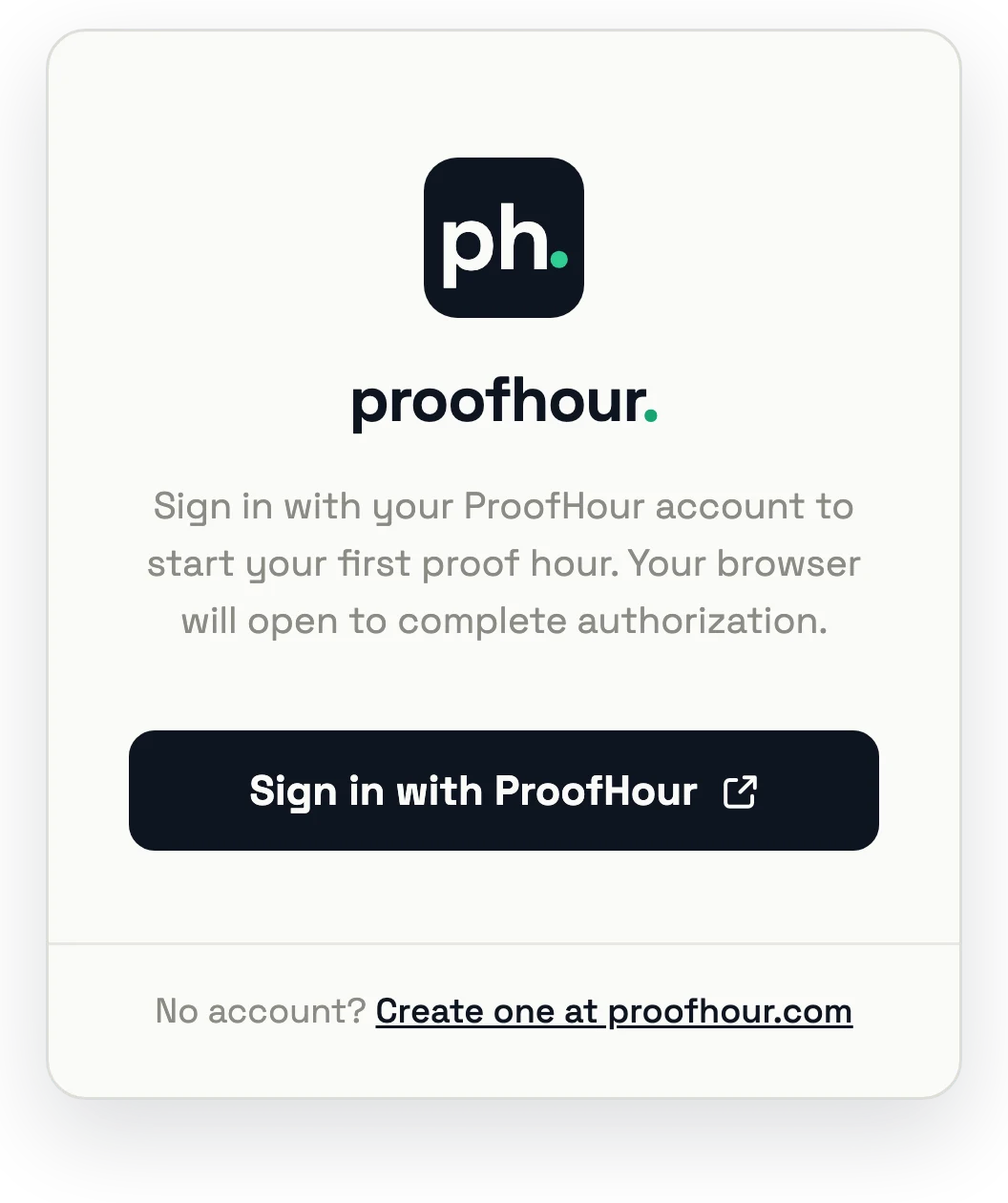
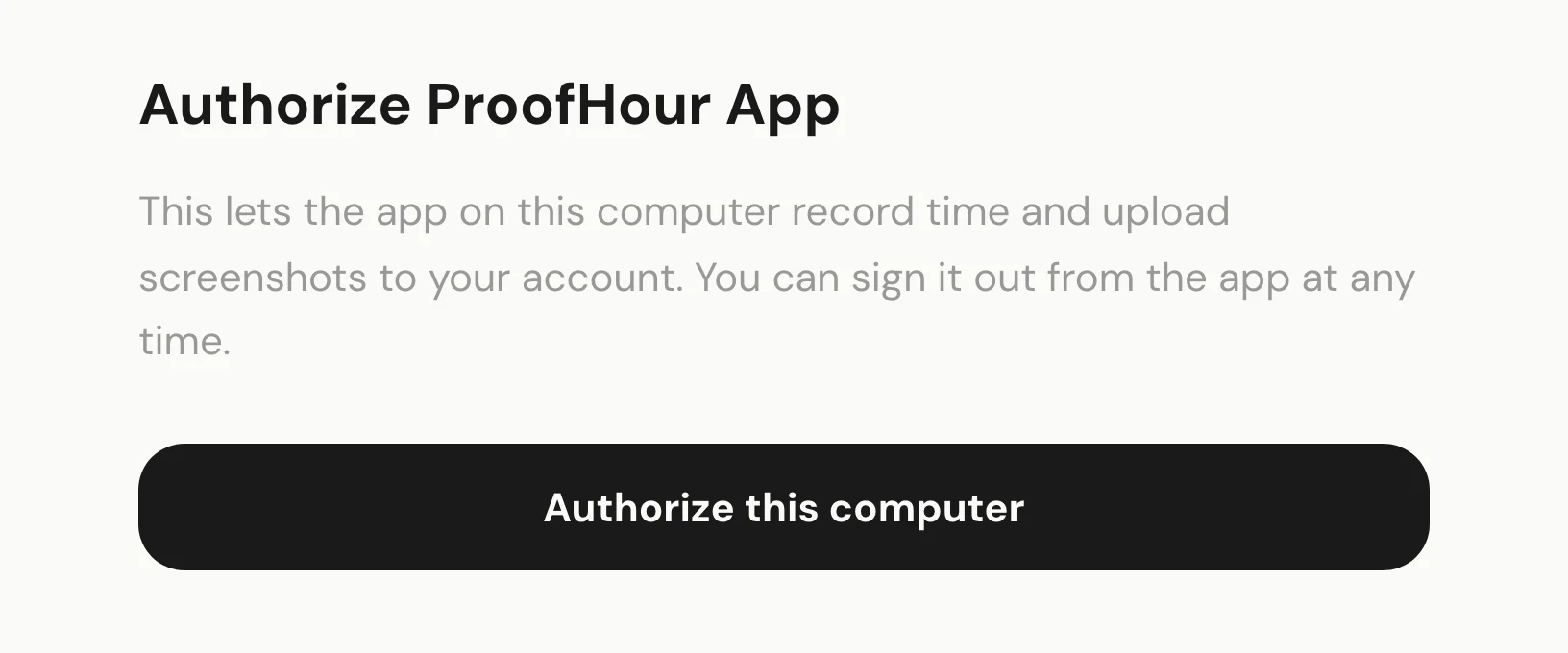
Press Sign in with ProofHour. Your browser opens app.proofhour.com; sign in there if it asks, then press Authorize this computer. The app notices and signs you in. If your browser does not hand you back, the same page offers an Open ProofHour App link.
- Step 5
Allow Screen Recording
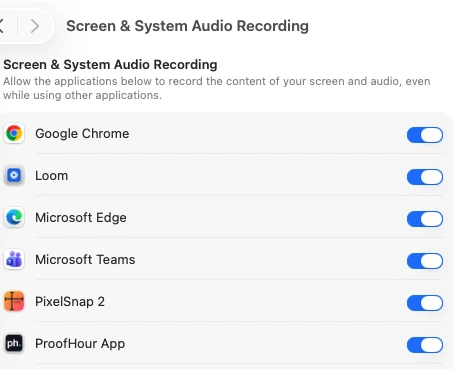
Before your first capture, the app asks for macOS's Screen Recording permission, which is what the captures need. Press Grant in the app, then switch on ProofHour App in System Settings, under Privacy & Security, Screen & System Audio Recording. Come back to the app and start the session again.
- Step 6
Start your first proof hour
Choose a contract, write a line about what you are working on, and press Start ProofHour. The menu-bar tile turns green while a proof hour runs. Open the app again to pause or end the session; the record is in your portal.
Questions people ask before installing.
Which Macs does ProofHour App run on?
Any Mac with Apple silicon: an M1 chip or later. It does not run on Intel Macs. To check yours, open the Apple menu and choose About This Mac; the Chip line names an Apple M-series chip.
Is the download safe to open?
Yes. The app is signed with our Apple Developer ID and notarized by Apple, so macOS opens it without warnings. It is a direct download from us rather than a Mac App Store listing.
I opened the app and nothing happened. Where is it?
In the menu bar. There is no Dock icon and no window. Look for the ph. tile at the top right of your screen and click it.
Why does the app ask for Screen Recording permission?
The captures inside a proof hour are screenshots, and macOS allows those only with Screen Recording permission. The app asks the first time you start a session. You choose which apps are excluded from capture, you review every capture before a client sees anything, and nothing is recorded while no proof hour is running.
The app keeps asking for Screen Recording. What now?
In System Settings, under Privacy & Security, then Screen & System Audio Recording, make sure ProofHour App is switched on. If it is and the app still asks, switch it off and on again, then quit the app and open it once more.
The browser said it was returning me to the app, and nothing happened.
Press the Open ProofHour App link on that page. Some browsers only allow the hand-off when you press it yourself.
How does the app update?
It checks for a new version shortly after it opens and every six hours after that, and shows an Update button when one exists. Nothing installs by itself, and never during a proof hour.
Can I use one account on two Macs?
One Mac at a time. Signing in on another Mac signs the first one out; time it had not yet uploaded is kept, and sent as soon as you sign in there again.
Does the app start when I log in?
Only if you turn on Launch at login in the app's Settings. Left off, the app does nothing until you open it.
How do I sign out or uninstall?
Sign Out is in the app, and undoes the authorization you gave this computer; signed out, the app records nothing. To uninstall, switch off Launch at login if you turned it on, sign out, then drag ProofHour App from Applications to the Bin. Everything already uploaded stays in your portal.
Is there a Windows version?
It is with Microsoft for Store review. Leave your email at the bottom of this page and you get one message when it is live.
Coming to the Microsoft Store.
The Windows app is with Microsoft for Store review. The button at the top of this page becomes the Store badge when the listing is live.